Founder case study
Handled: Your life’s admin
An AI app that files household paperwork into your own cloud, after you say yes.
My role: Founder. Product, UX and content design, and the brand. I built it by directing Claude, which wrote the code.
At a glance
- Role
- Founder, Handled App LLC
- I owned
- Strategy, UX, content design, voice, brand, and pricing
- Built with
- Claude (Anthropic) as engineering collaborator, on Base44. Stripe for billing.
- Stage
- Live on the web. App Store and Google Play submissions, September 2026.
- Standards
- Apple Human Interface Guidelines and WCAG 2.2 AA
01The problem
Household paperwork arrives through mail, email, and the camera roll. The date that matters in it lives in someone’s head.
The person
When a bill, a warranty, or a notice arrives, someone has to decide what it is, keep it somewhere, and remember its date. Nothing does that for them, so the paper piles up and the date slips.
The market
In a review of 18 comparable apps, none fully filed documents into the customer’s own cloud storage, and 3 did it partly. Getting organized usually meant handing your documents to another company.
The bet
AI can now read a document and suggest where it goes. That removes the work. What’s left is trust, and trust is an architecture decision before it’s a marketing line.
Where a household’s paperwork is today. The examples come from the questions on the Handled site.
The mail pile
The important letter you said you’d deal with later.
The inbox
Last year’s tax return, attached to an email somewhere.
The camera roll
The receipt for the laptop you bought last year.
Your head
When your passport expires.
How might we take the filing off people’s plates without asking them to hand their documents over?
02The system
The first constraint: the files go to the customer’s cloud, not ours
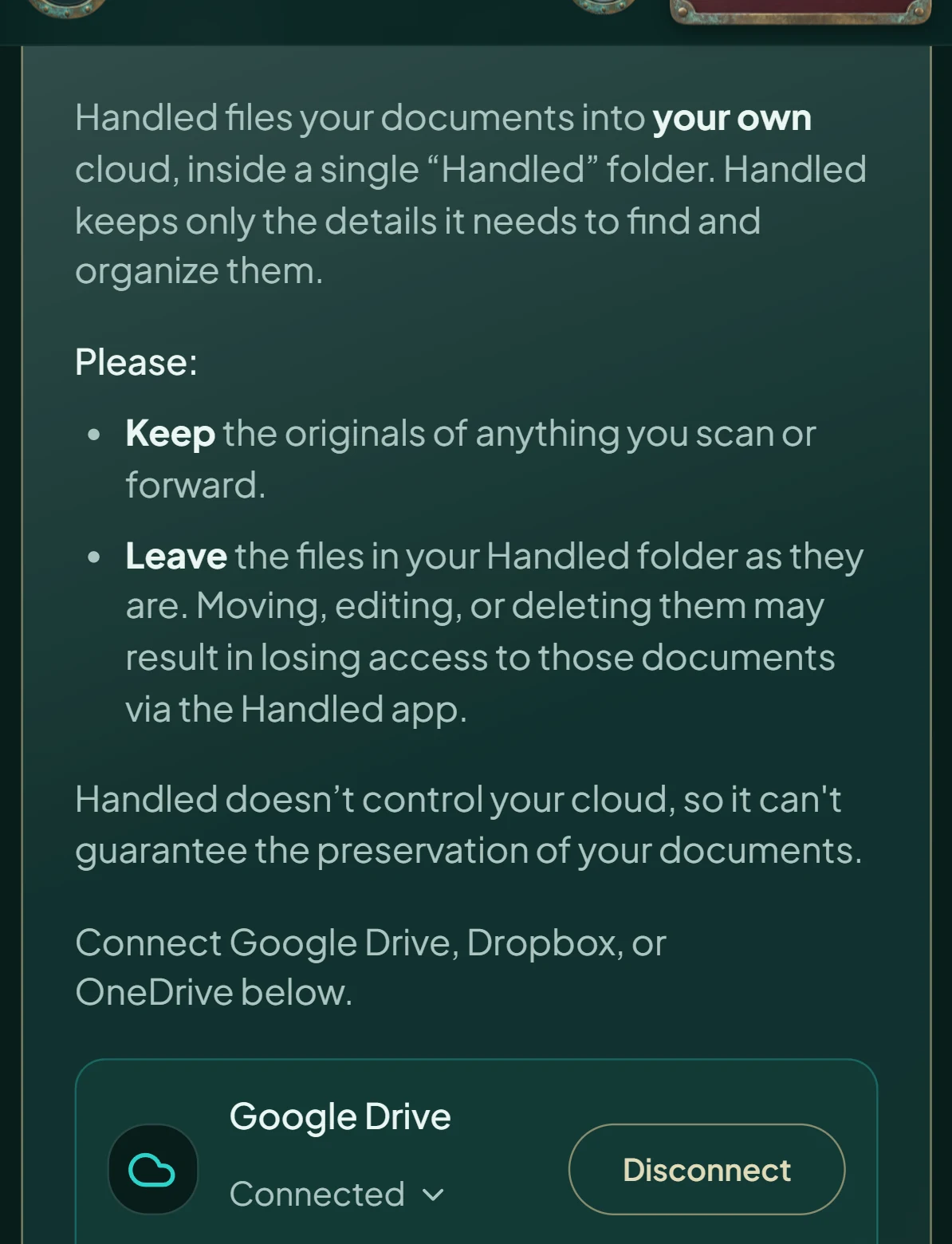
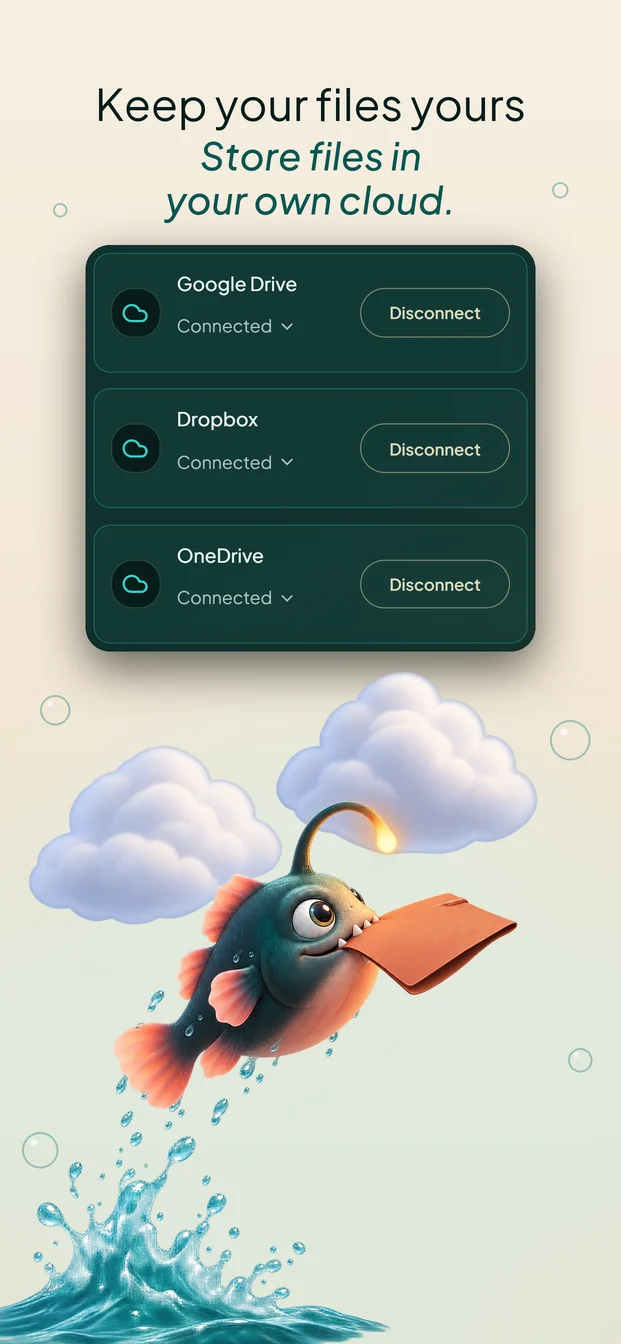
Handled connects to the person’s Google Drive, Dropbox, or OneDrive with folder-level access, so a single Handled folder is all it can see. Every other decision had to work inside that rule.
- A document arrivesA photo, a scan, a PDF, or an email forwarded to the person’s private Handled address.
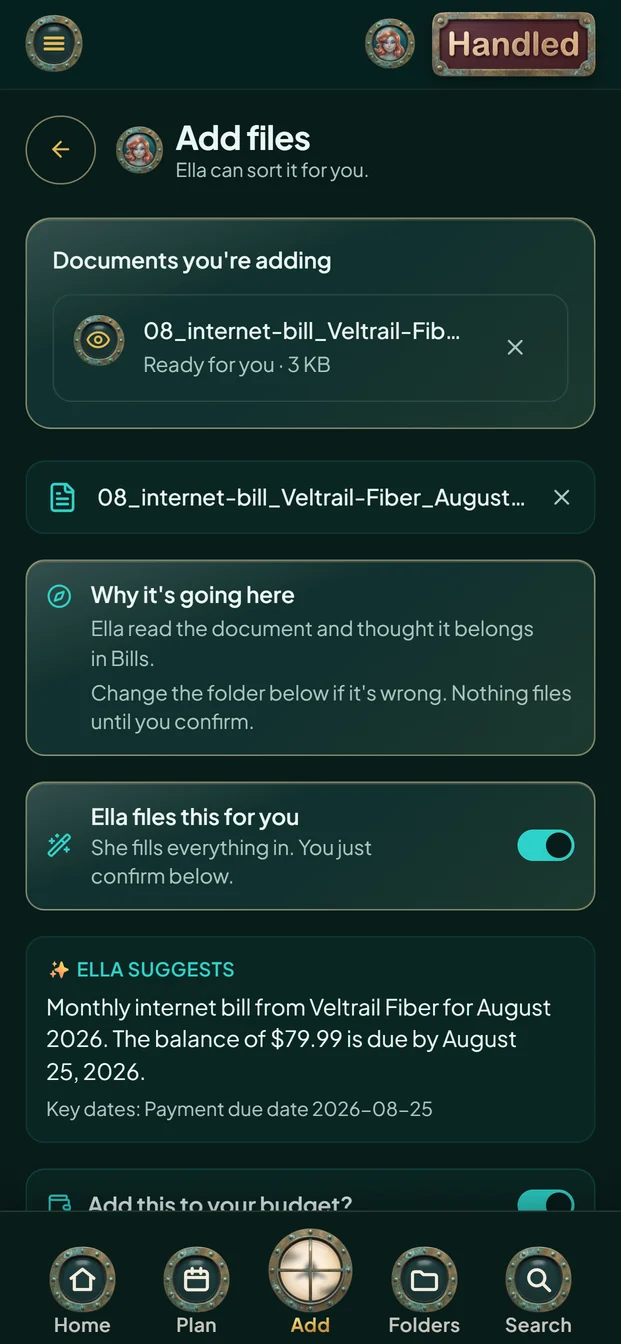
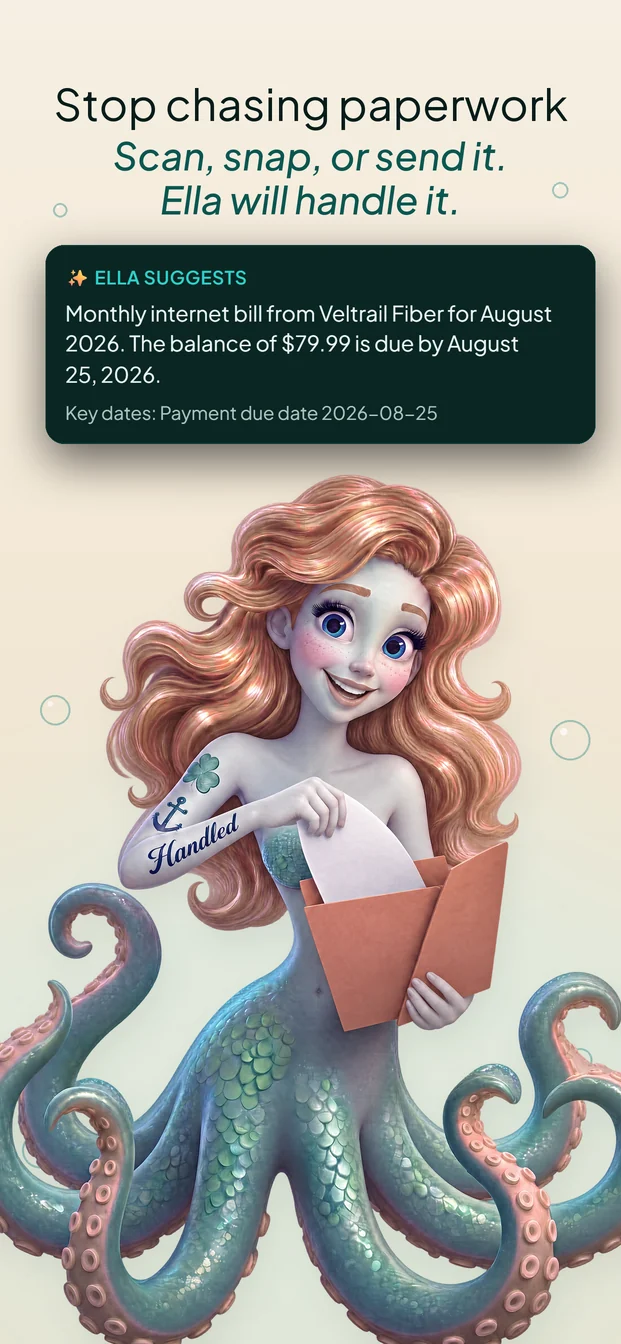
- Ella reads itHandled’s AI suggests a name, a folder, tags, and the dates that matter, and explains why.
- The person confirmsNothing files until they say yes. They can change Ella’s suggestions first.
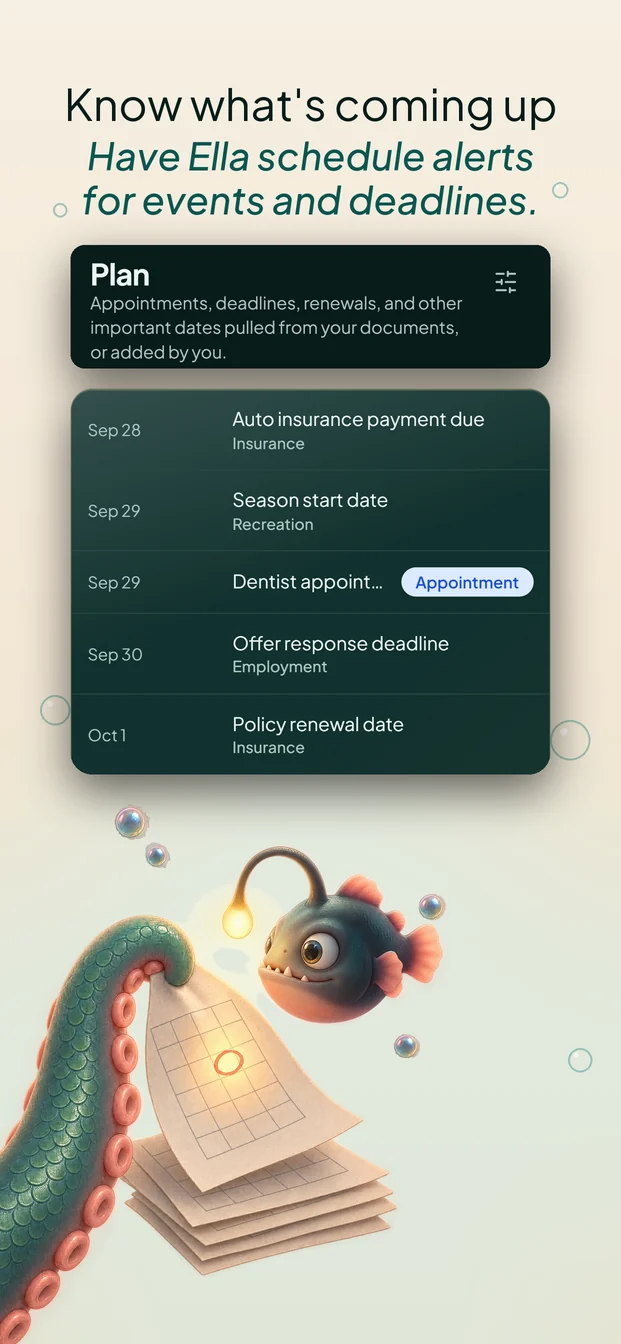
- Handled files it into their cloudInto the Handled folder in their Google Drive, Dropbox, or OneDrive. Dates go to their Plan as reminders.
What Handled keeps: the title, the dates, a short summary, and a pointer to where it filed the document. That’s what helps a person find things again.
03The core flow
From a piece of paper to a filed document, in four screens
Each screen answers the question a person has at that moment. All four are captured from the live app, using a demo account and sample data.
- 1
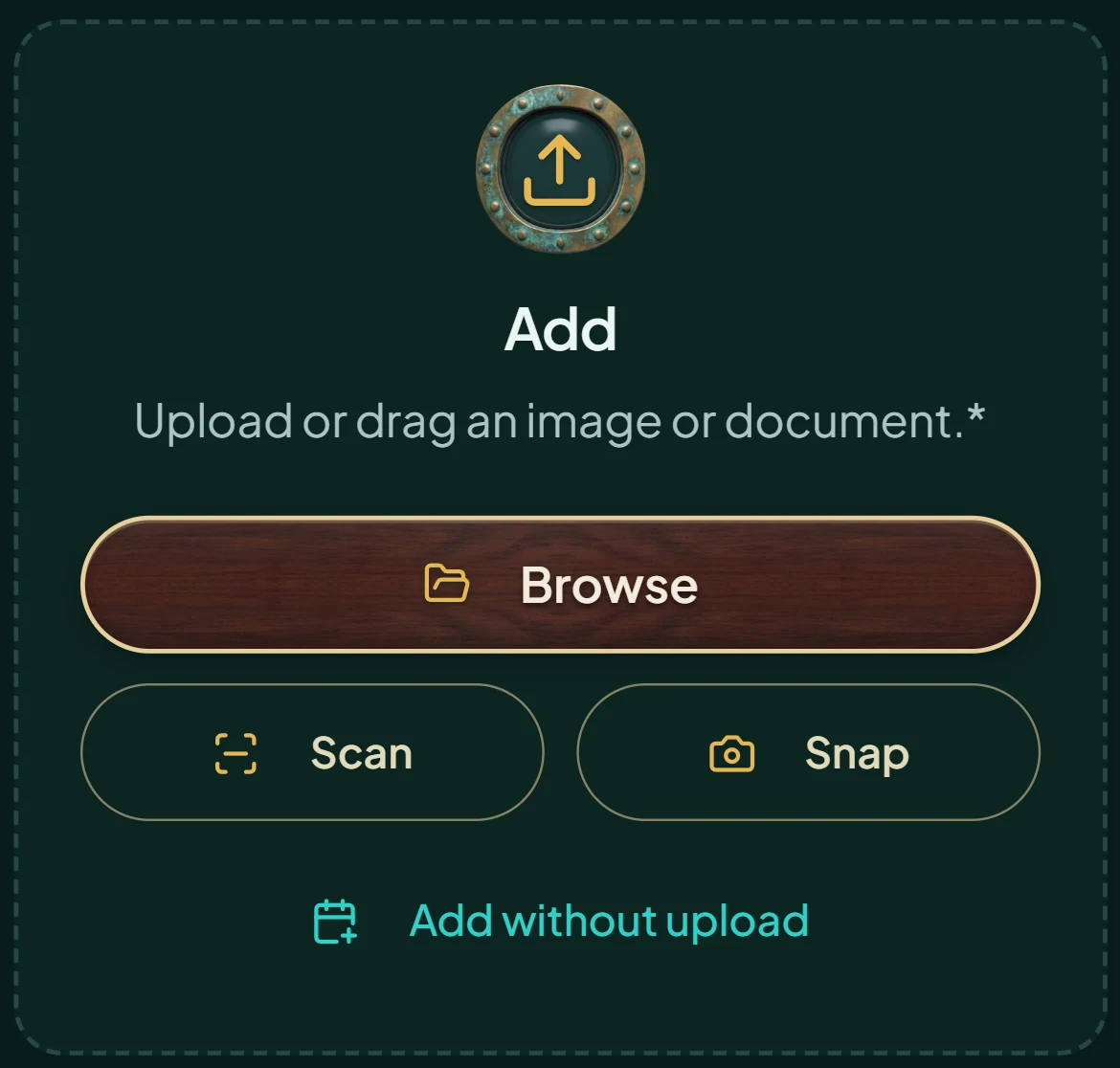
How do I get it in? Browse, scan, or snap. Or forward the email.
- 2
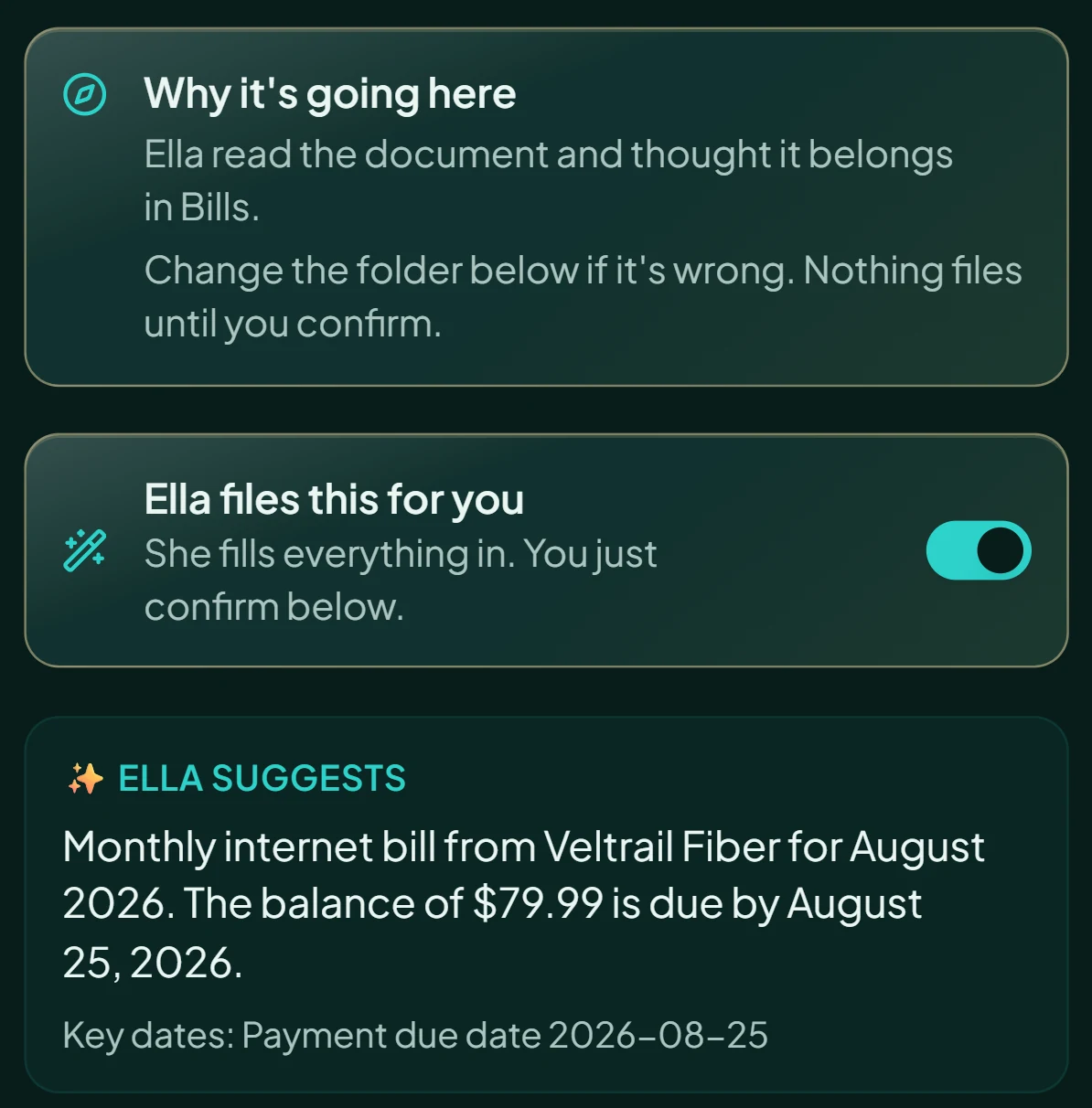
Is Ella right? She explains her folder choice. Nothing files until you confirm.
- 3
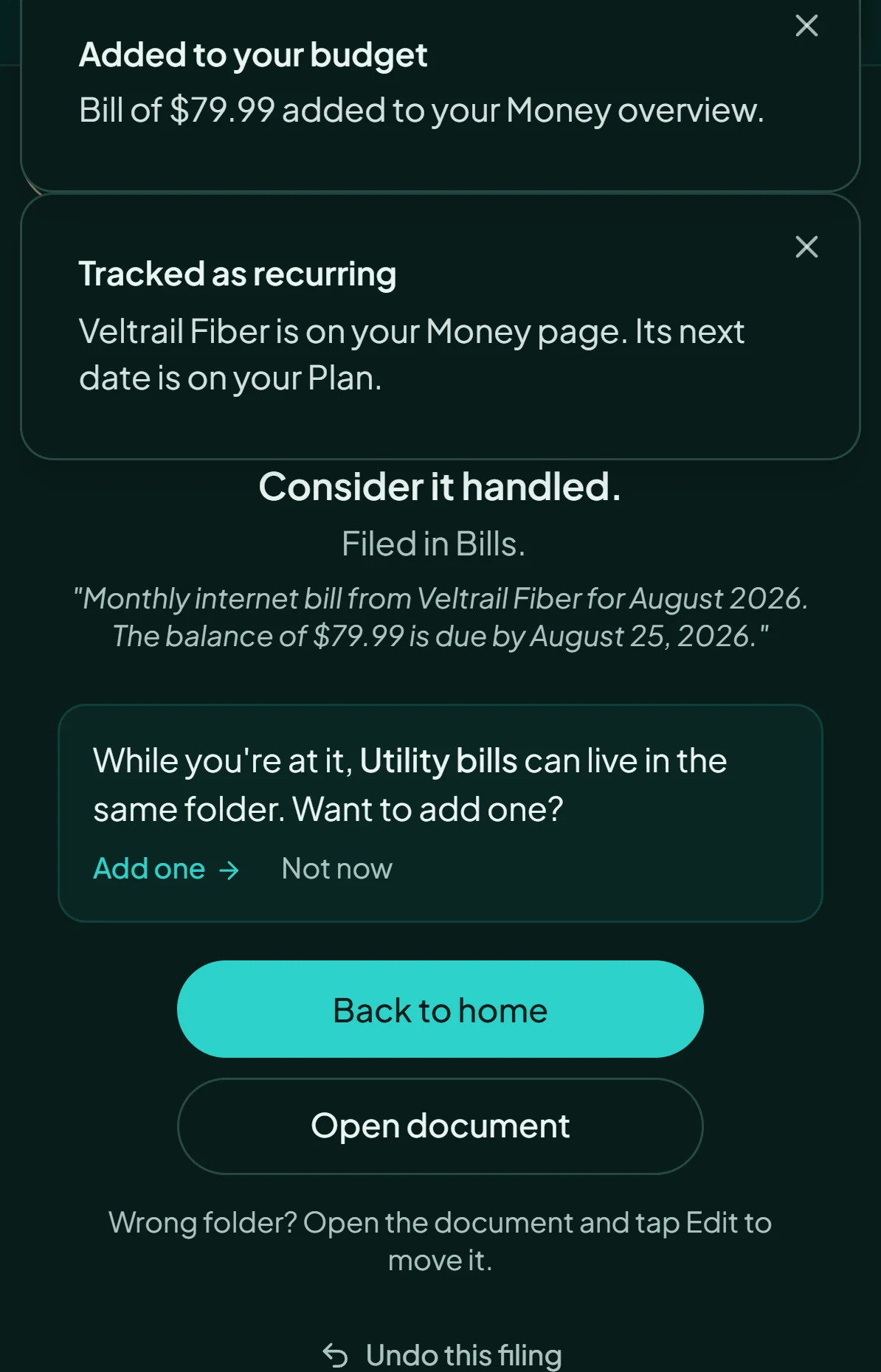
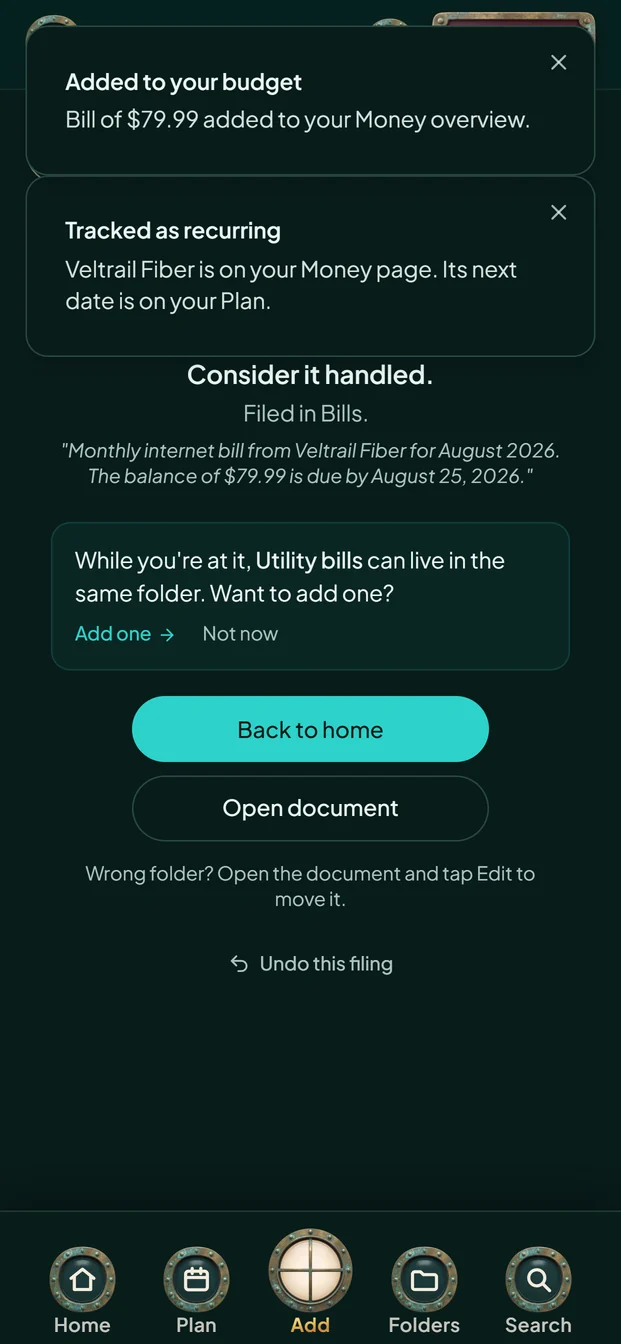
What just happened? The Filed screen lists what Handled did, with undo.
- 4
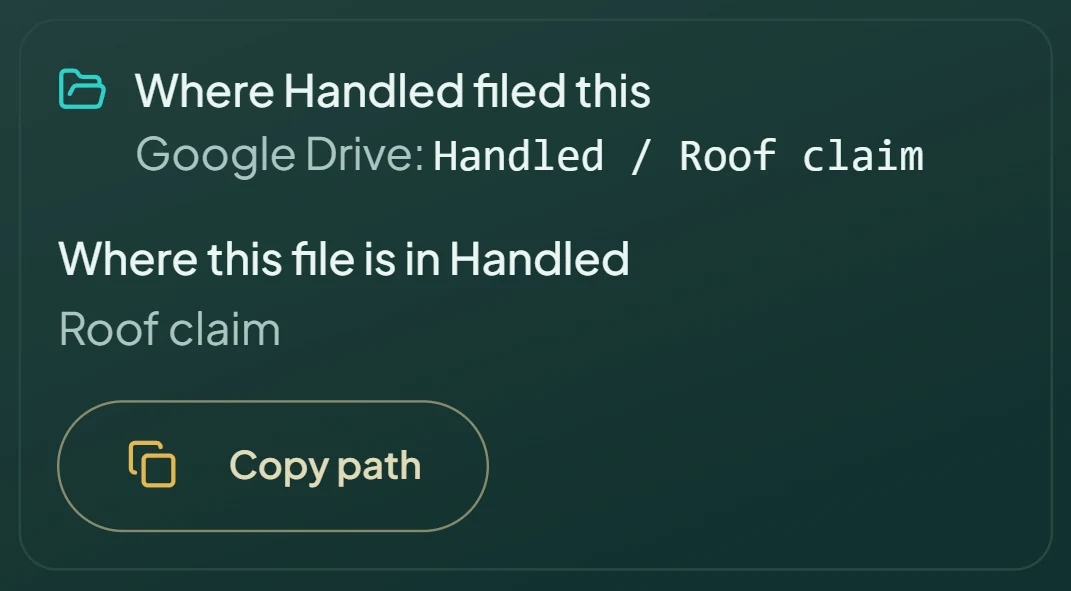
Where did it go? Each document’s page shows where Handled filed it, down to the folder. Shown: a roofing invoice.
04Decisions
Six decisions, and what each one cost
Why does the person confirm before anything files?
AI can make mistakes, and a confident mistake in someone’s tax folder costs more than one tap. So Ella suggests, explains her reasoning in plain words, and waits.
ChoseSuggest, explain, then confirm.
Trade-offOne more tap per document. Folders can switch to manual filing for people who want Ella to hold back.
“Change the folder below if it’s wrong. Nothing files until you confirm.”The review screen
Why forward email instead of connecting an inbox?
Inbox access is the most personal permission a consumer app can ask for. Each person gets a private Handled address instead. They forward what they want filed, and review it first.
ChoseA private forward address. Handled keeps the sender only as a one-way fingerprint.
Trade-offNo sweep of old email. I started an inbox connection early, then removed it.
Why does Handled say where it filed a document, not where it is?
Handled puts files into an account it doesn’t control. The person can move or delete them, and the connection can lapse. So Handled reports what it did, which it knows, and doesn’t claim where a file is now, which it can’t know.
Chose“Where Handled filed this,” with the path it wrote.
Trade-offLess soothing than “your files are safe in your cloud.” It’s also true.
“Documents sent to your own Google Drive or Dropbox stay yours.”The standard I wrote: say the act and the ownership, not the location
Why tamper-evident records, and not “court-ready” ones?
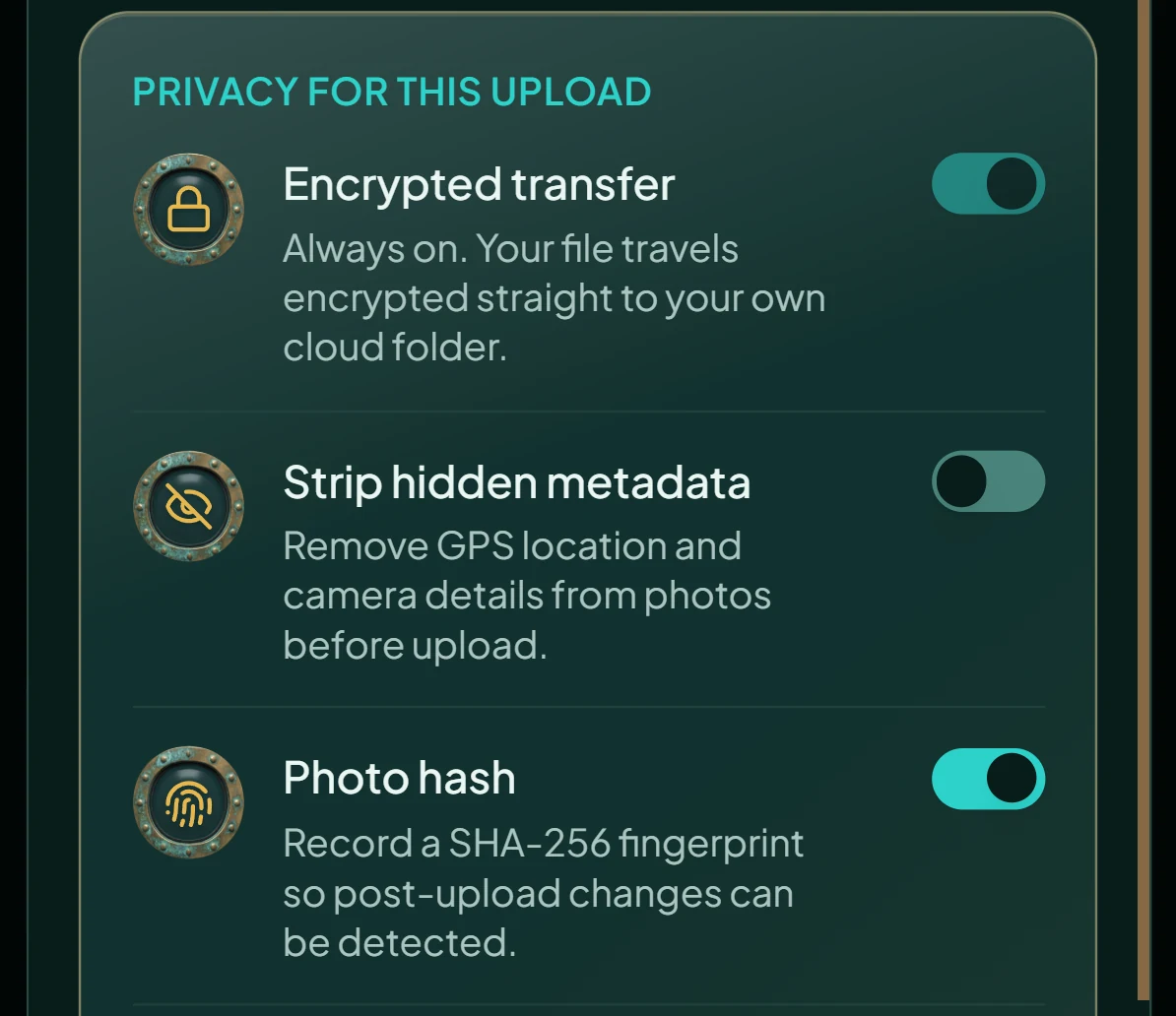
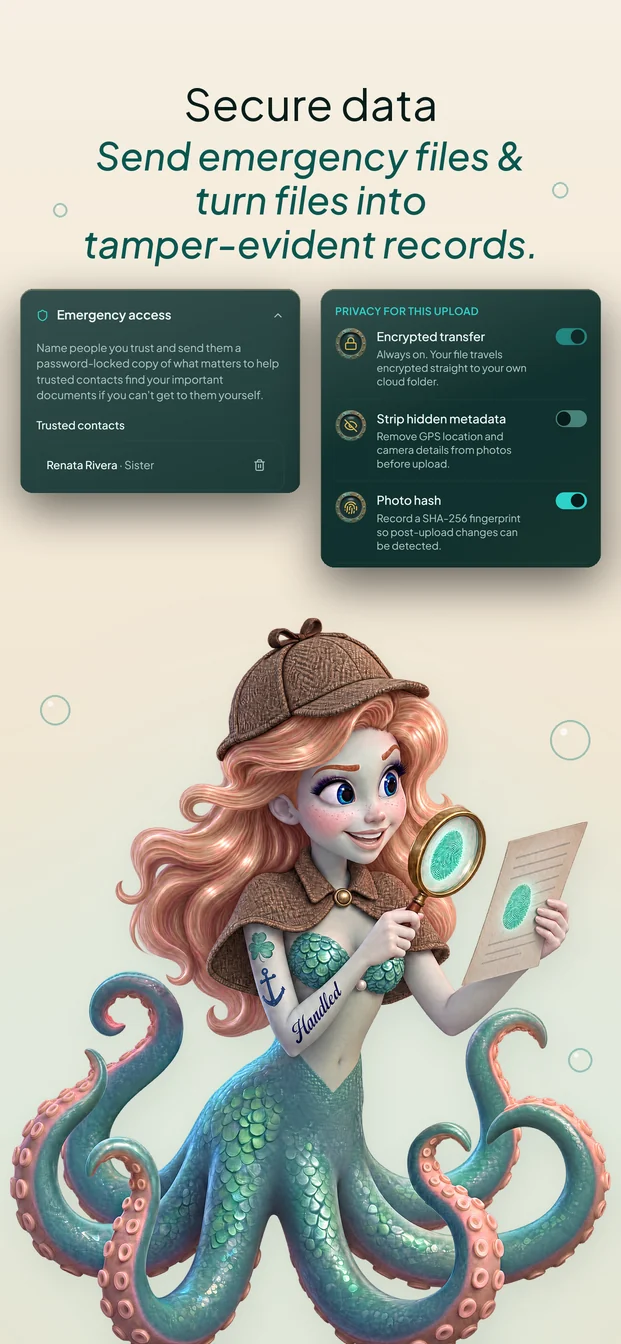
People keep receipts, notices, and photos for disputes. Handled can record a SHA-256 fingerprint and a timestamp when a file is saved, so a person can show it hasn’t changed since. Whether a court accepts it is for a court to decide, so the product doesn’t say.
Chose“Tamper-evident,” a claim about the file.
Refused“Court-admissible,” a claim about a legal outcome.
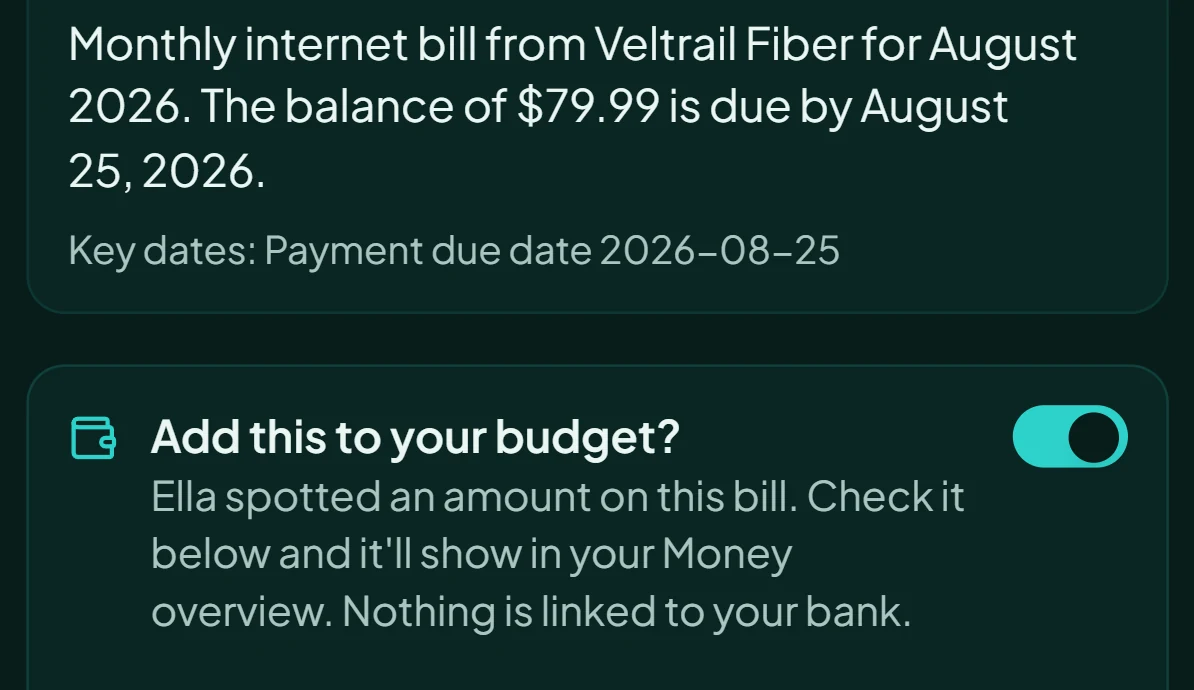
Why build the budget from documents instead of bank links?
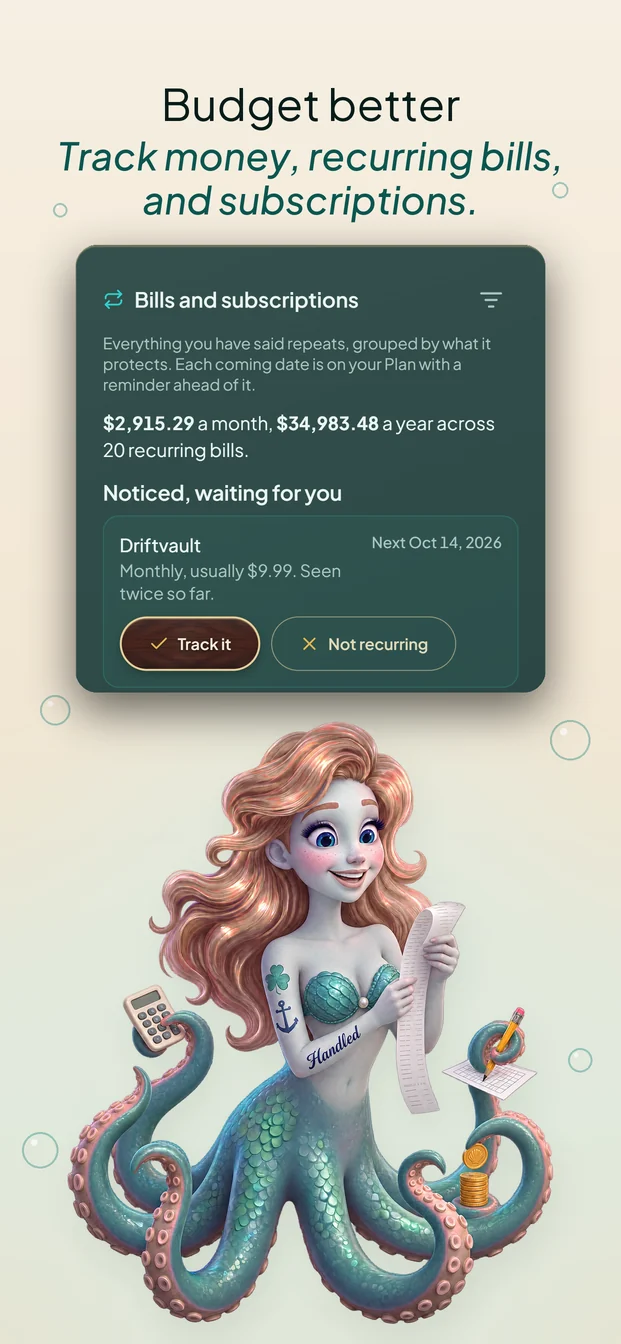
A bill already says what’s owed and when. When Ella spots an amount, she offers to add it to the budget, and the person checks it. No bank login, and no feed of every transaction.
ChoseMoney built from the documents a person chooses to file.
Trade-offLess automatic than a bank feed. Spending that never produces a document gets added by hand.
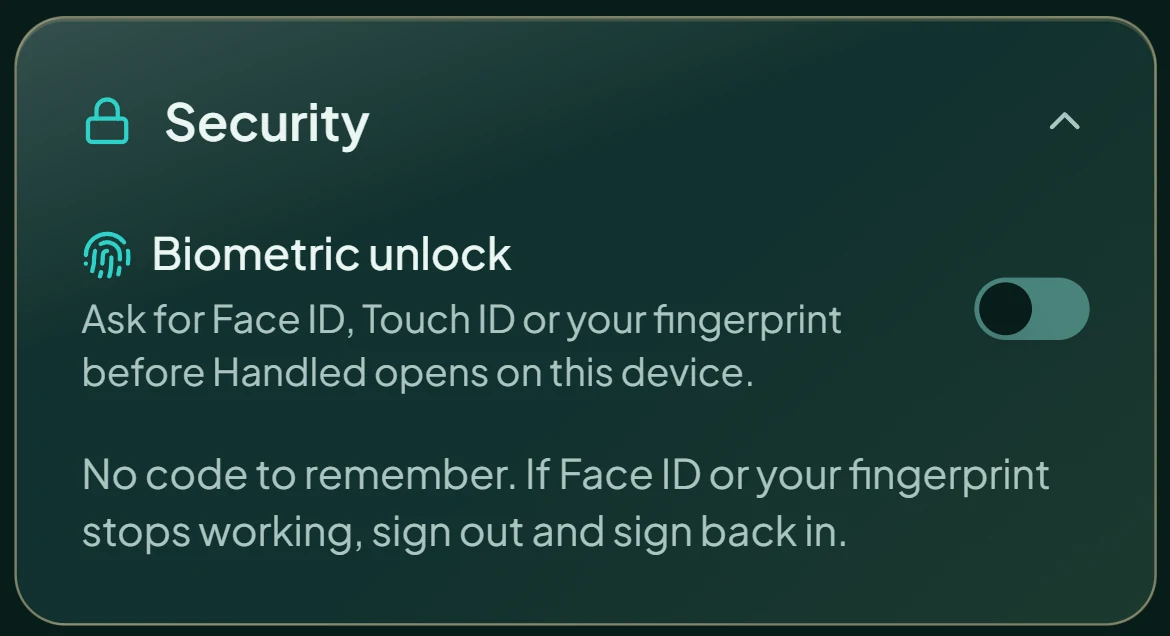
Why Face ID and no PIN?
The app holds a household’s paperwork. A PIN is one more secret to forget, and forgetting it locks a person out of what they need. I built a PIN option, then removed it.
ChoseBiometric unlock, with a plain recovery path.
Trade-offNo fallback code. If Face ID or a fingerprint stops working, the person signs out and back in.
05Voice and tone
One voice. The tone flattens as the stakes rise.
I defined Handled’s voice in a style guide and a Brand Bible: four traits, each with a boundary, and a rule for how much personality each moment can carry. Ella, the mascot, winks only where nothing is at stake.
| Moment | Personality | From the product |
|---|---|---|
| Introducing Ella | Wink allowed | “Ella is your eight-armed assistant” |
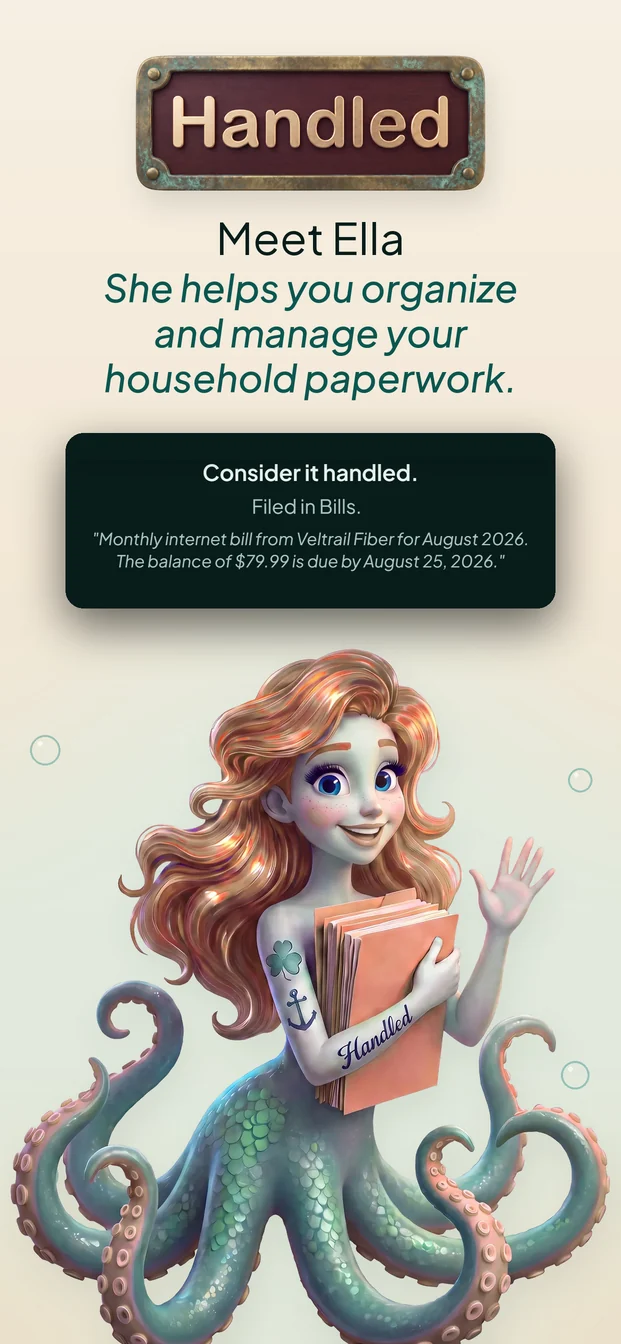
| Something filed | Light | “Consider it handled.” |
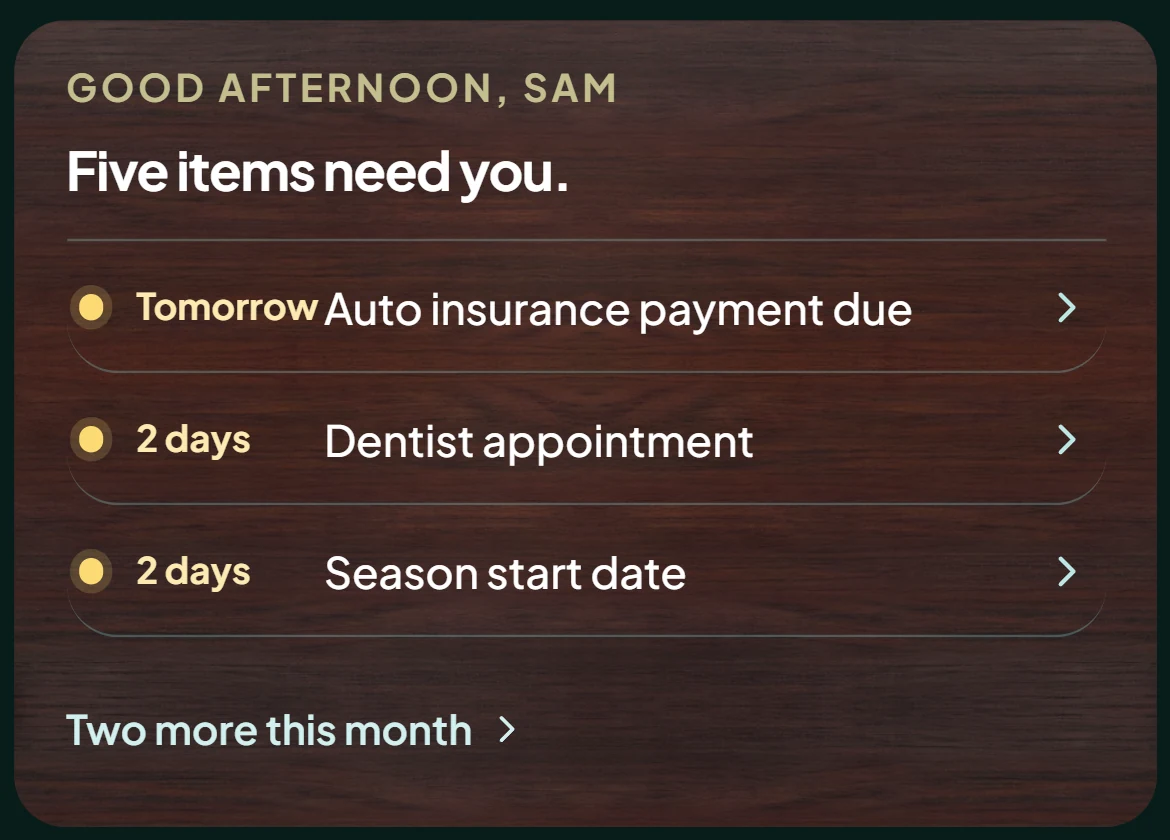
| Home, every day | Light | “Five items need you.” |
| Fixing a mistake | None | “Wrong folder? Open the document and tap Edit to move it.” |
| Limits and legal | None | “Handled can’t guarantee the preservation of your documents.” |
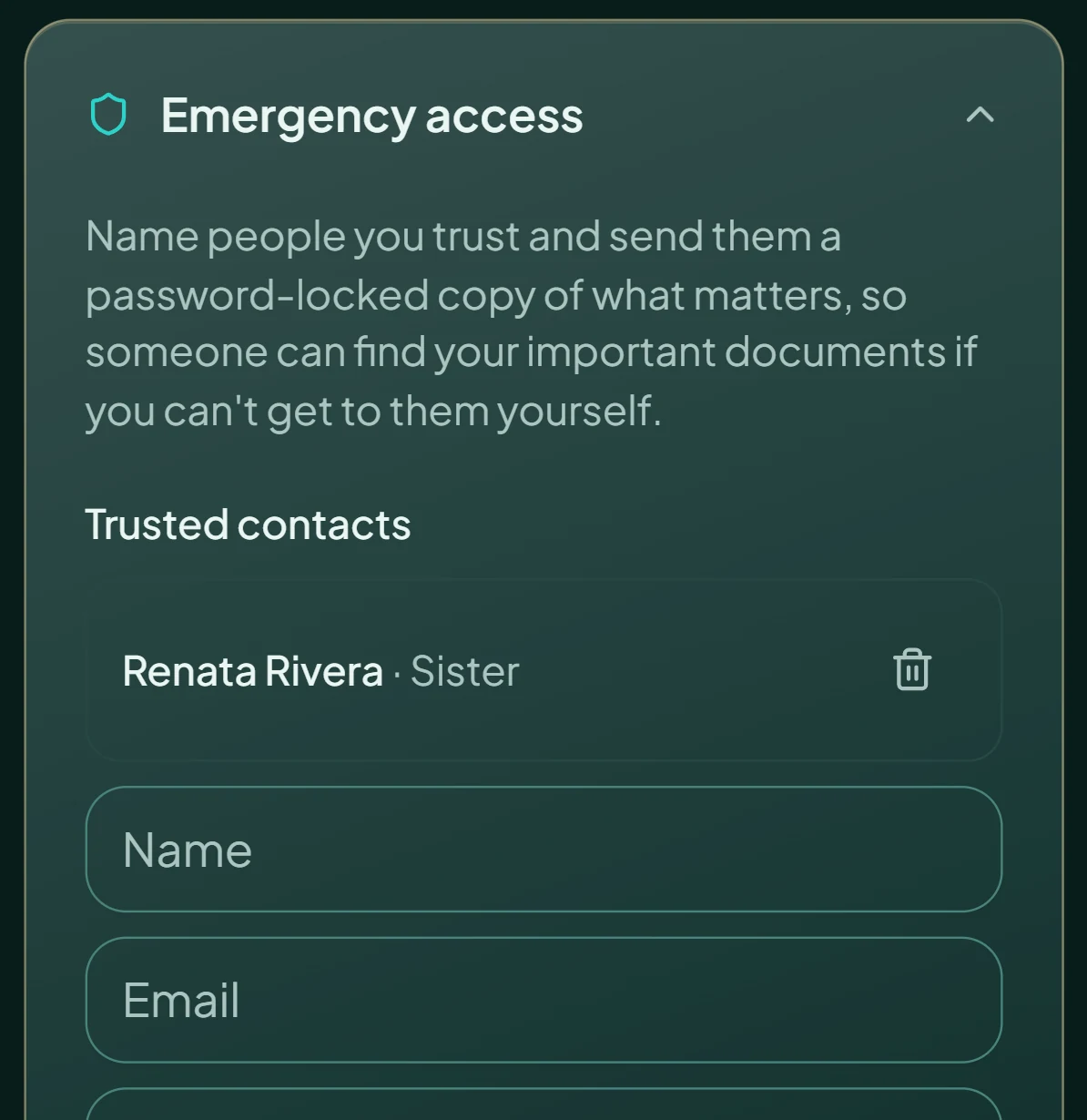
| Emergency access | None | “Name people you trust and send them a password-locked copy of what matters…” |
06Claims standard
Every sentence is a promise. So I cut the ones Handled can’t keep.
I spent 14 years writing regulated copy beside legal and compliance teams. As a founder, there’s no review board behind me, so the standard has to live in the writing. A superlative is a warranty. So is a sentence about a place Handled can’t see.
| Refused | Why it’s a problem | What shipped |
|---|---|---|
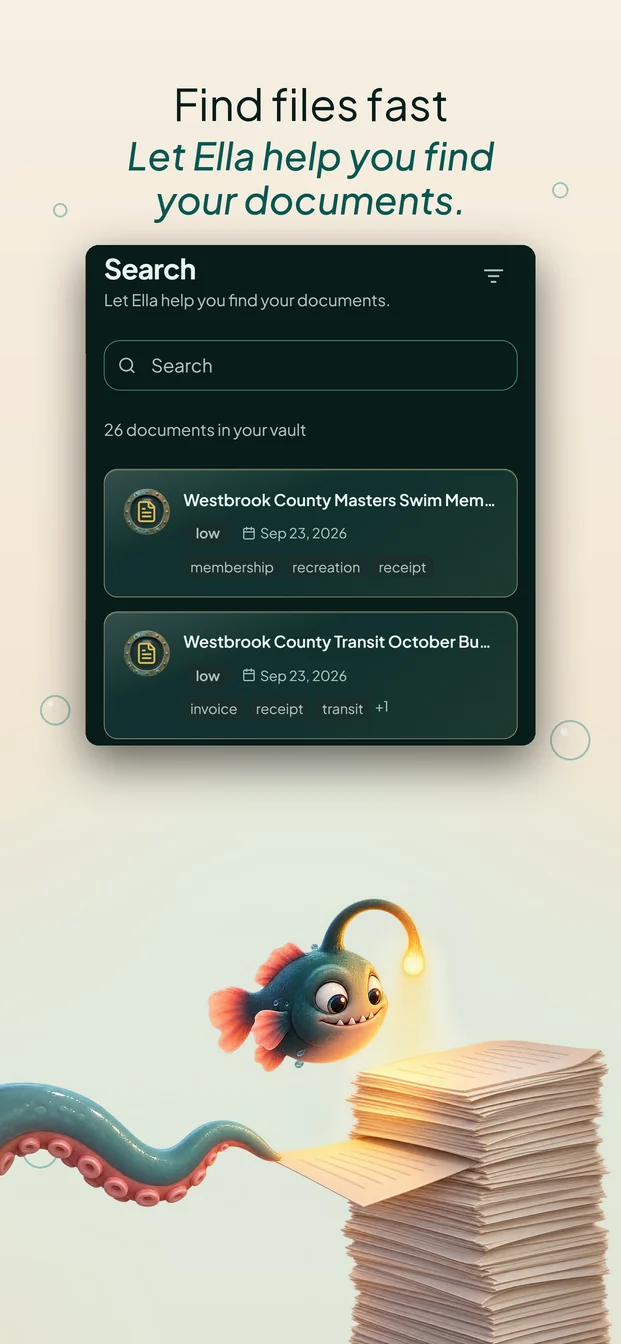
| “any document in seconds” | Two promises: every document, at a set speed. | “Find files fast: Access files quickly with AI’s help” |
| “never miss a renewal” | Promises zero failures, and names one kind of date. | “Get alerts: Pull dates from your files to set reminders” |
| “court-admissible” | A legal conclusion only a court can reach. | “Tamper-evident records,” and “we don’t claim court-admissibility” |
| “your files are in your cloud” | Describes a place Handled doesn’t control. | “Where Handled filed this” |
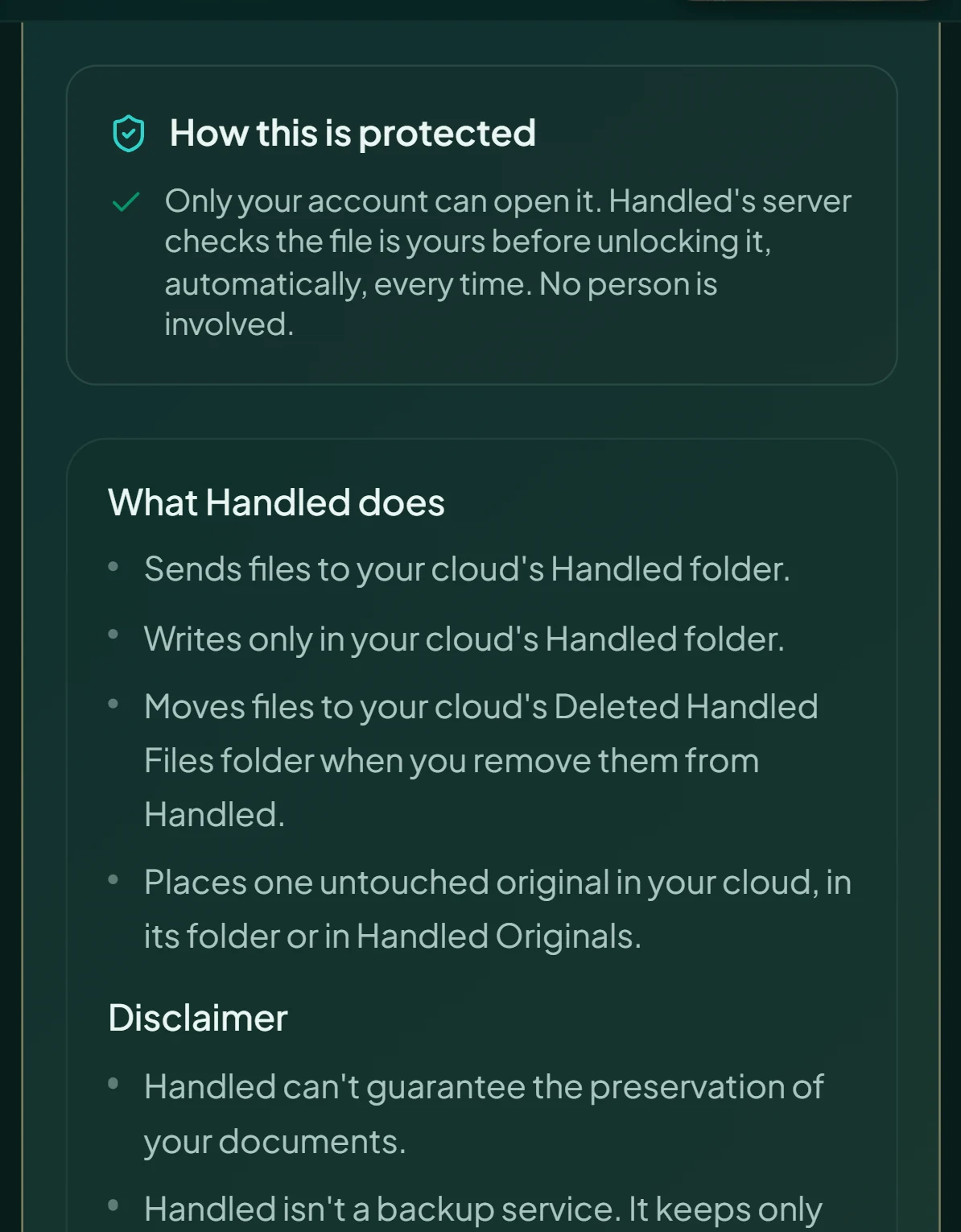
| “Handled never deletes” | One bug would break it. | “Moves files to your cloud’s Deleted Handled Files folder when you remove them from Handled.” |
| Handled™ | Claims a trademark that isn’t registered yet. | Handled |
What Handled won’t do
I wrote a Refuse list of 15 persuasion techniques Handled won’t use. Its test: if Handled wouldn’t describe a mechanism in plain words on the screen where it runs, it doesn’t use it.
- No streaks, points, or badges. Handled measures documents, not people.
- No countdowns or scarcity. No timer on a decision.
- No inbox connection.Started, then removed
- No bank linking. Money comes from documents.
- No overage billing. Each plan has a set number of AI scans.
- No automatic charge when the trial ends. No card to start.
- No PIN to forget.Built, then removed
- No selling your data. Documents are read to name, sort, and summarize them.
07Microcopy
Small words, and why they changed
A button has to say what it will do
Before
Back to home
After
File remaining
After someone files one document from a batch, the rest are still waiting, and the button kept them on the Add screen. So “Back to home” was wrong. Now it reads “File remaining” while more of the batch is waiting, and “Back to home” when nothing is left. It’s the truest statement.
Name the whole category, not one kind of document
Draft
…and reminds you before a renewal runs out.
Shipped
…and reminds you before an important date passes.
“Renewal” describes a subscription manager. Handled also files passports, warranties, appointments, and court dates, and many of those never renew. My test for a date noun: do a passport, a warranty, and a court date all fit under it?
Headings sell the outcome. Buttons name the action.
Before
Add your first document
After
Organize your first document
The button under it still says Add. The heading above it names what the person gets for tapping it.
08Building with AI
Claude wrote the code. I owned what decides whether it’s right.
I’m a content designer, not a hand coder. Directing an AI collaborator only works when the human side is rigorous, because AI resolves ambiguity quietly, with the same confidence whether it’s right or wrong. So I ran it like a product team.
- MeIntentWhat should change, what must not change, and what “done” means.
- MeConstraintsA Brand Bible, a voice guide, and a claims standard, each rule with its reason.
- ClaudeBuildWrites the code to the spec.
- TogetherVerifyMore than 50 automated checks. A repaired check is proven by breaking the code on purpose.
- MeReviewAnything touching files, billing, privacy, or words gets my review first.
- MeReleaseWritten, deployed, and live are three states. Nothing is done until it’s live.
09Where it stands
Shipped, and new
Handled is new, so there are no adoption numbers to show yet. Here’s what exists.
- LiveWeb app at handledappllc.online, with Google Drive, Dropbox, and OneDrive connections and Stripe billing.
- Live130 captioned how-to videos at videos.handledappllc.com. I reviewed and approved each caption.
- SubmittediPhone and Android apps, to the App Store and Google Play, September 2026.
The App Store story I directed
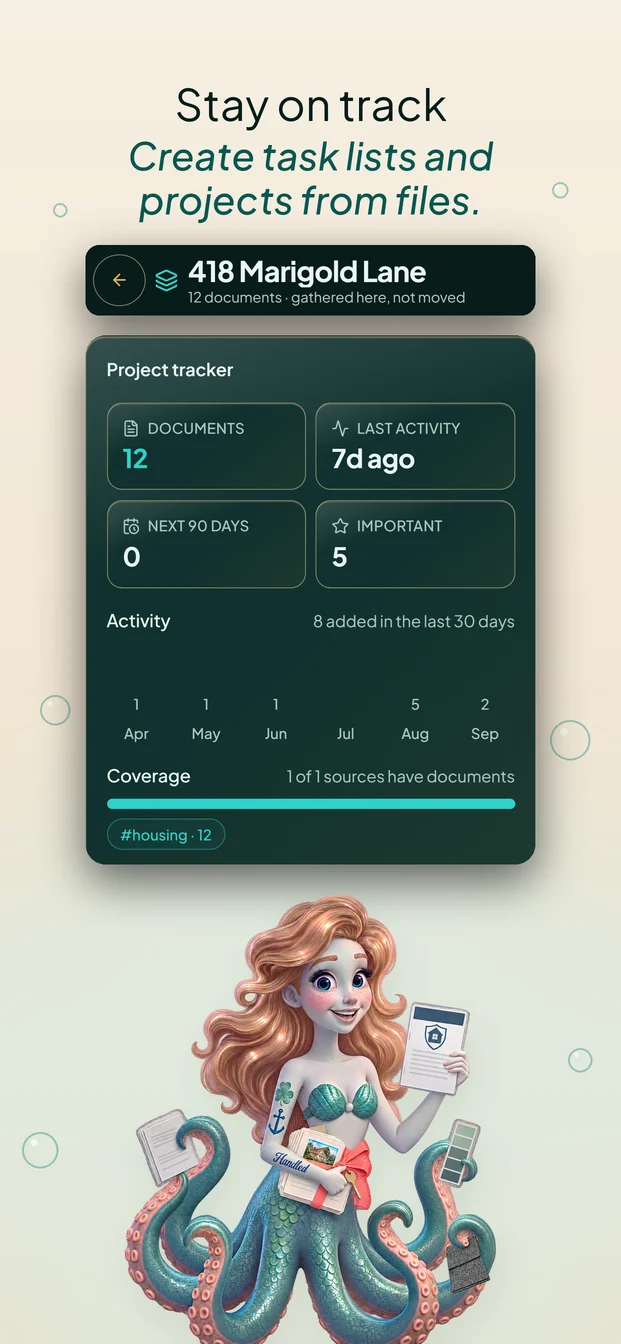
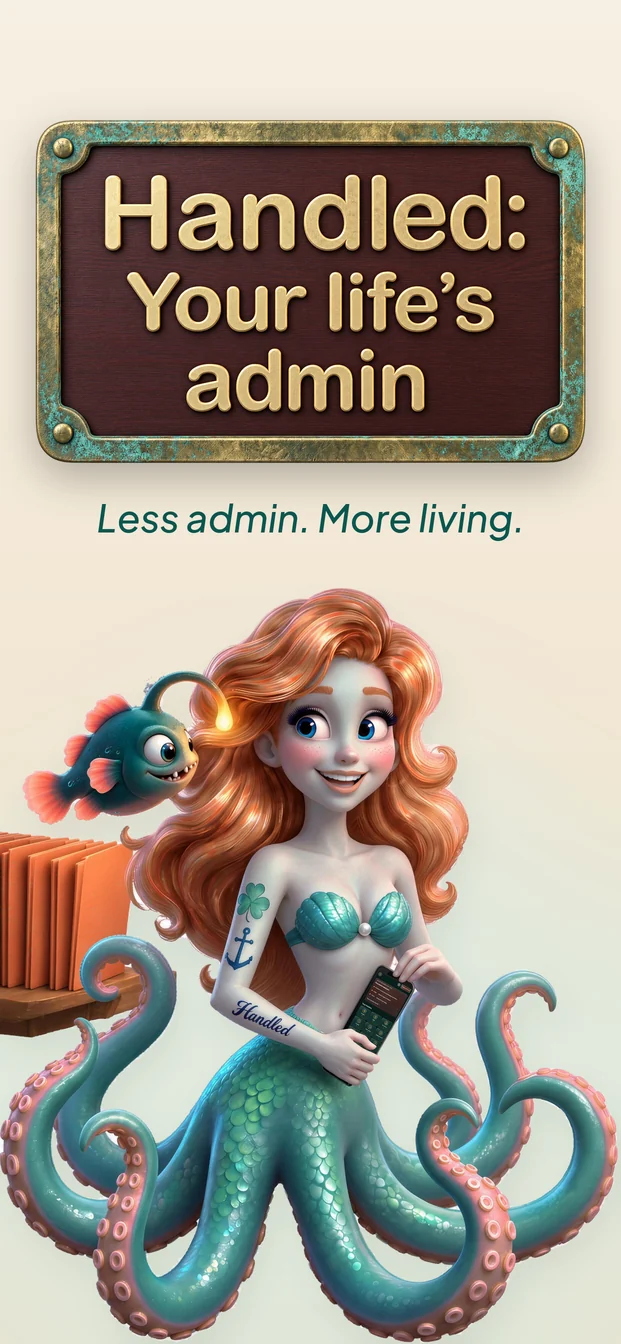
One customer pain point per screen, then the part of Handled that answers it. Scroll sideways.
What I learned
Building with AI made content design more important, not less
- Constraints are the spec.Written rules, each with its reason, are what keep an AI collaborator on course.
- Words are where the risk hides.AI drafts reach for “always,” “never,” and “any.” Catching them matters more when there’s no legal team downstream.
- Done means live.Reporting written, deployed, and live separately is what makes a one-person product trustworthy.
Handled takes the filing off people’s plates without asking them to hand their documents over.